A Match, Start To Finish
The whole loop in four steps, pulled together from the sections below.
-
1
Three Factions Deploy
33 players each, up to roughly 100 total. You can switch teams mid-match, but once a team pulls more than 10 points ahead, switching comes with restrictions — see Team Switching.
-
2
Contest The Control Zone
A single large zone, placed dynamically on the map rather than fixed to one spot. Whichever faction has the most players inside it is the scoring faction for that cycle.
-
3
Score Every Cycle
1 point per cycle, roughly every 10–15 seconds. Standing in the smaller Hot Zone counts you as 2 players, and pays double — see Money.
-
4
First To 100 Points Wins
Dying sends you back to HQ, or to the APC once your faction hits 20 points and the APC is inside the Control Zone. The FOB never offers a respawn.
The Mode
3 factions of 33 players each load into a match, for a max of around 100 players, on one of the game's maps.
Winning
The Control Zone is a single large zone, dynamic in placement rather than fixed to one spot, somewhere on the map. Its exact size is unconfirmed: the official game description says 2x2km, while playtest observation suggests roughly a 2km circle. Whichever faction has the most players standing in it is the "scoring" faction for that cycle.
- The scoring faction gets 1 point per cycle, roughly every 10–15 seconds.
- First faction to 100 points wins.
Hot Zone
A separate, smaller moving zone. Each player standing in the Hot Zone counts as 2 players toward the scoring calculation — a way to swing zone control without needing raw numbers. This is also why the Hot Zone pays exactly double the Normal Zone's cash payout (see Money).
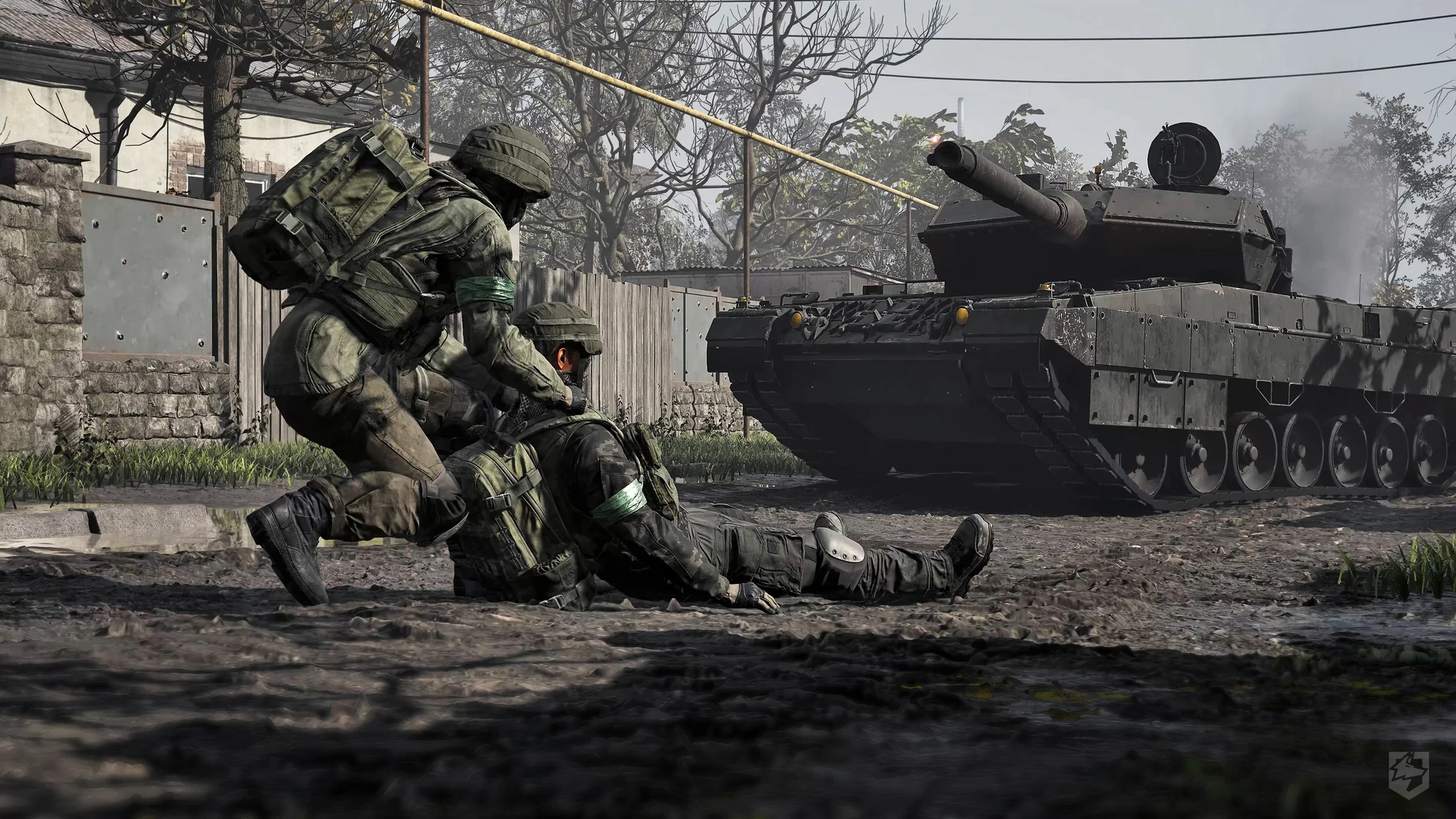
Every player inside the Hot Zone counts double, so it pulls the heaviest fighting on the map — armour included.
Factions
Every player is assigned to one of three factions. Full detail on each one is on the Factions page.
| Faction | Color |
|---|---|
| Manticore | Green |
| Valkyra | Red |
| Lonestar | Blue |
Enemies are displayed using their faction's color. Vehicle manufacturers like PATRIOT, AZAR VM, and Rhineritter are just vendor flavor — every faction has access to the same full roster at HQ. The one exception is cosmetic: the music tape "Blue (Da Ba Dee)" by Eiffel 65 is Lonestar-only (see Factions).
Two balance rules also shape the match. Any team at least 40 points behind second place gets 20% off at the vendor. For Season 2, Lonestar alone gets a cash and XP win bonus and cash and XP multipliers on teamplay actions; the amounts aren't published (see Factions).
Death, Respawn, and HQ
- Getting downed starts a long bleedout timer; teammates can revive you during it.
- Choosing to give up, or letting the timer run out, sends you back to your faction's HQ.
- HQ has weapon vendors and vehicle vendors — this is where the Price values documented across the Weapons, Gear, and Vehicles pages actually get spent.
- HQ also lets you spawn directly on the APC, but only if the APC is both unlocked via team score ≥20 points, and currently positioned inside the Control Zone.
Note
FOB Is Not A Respawn Point
The FOB is a logistics/building hub only — it does not offer a respawn option, unlike HQ or the APC.
Squads
Players can form squads with no size limit. Squad members can communicate over squad radio, in addition to standard proximity voice chat.
- Squad intent: squad leaders can set a squad intent from a pre-defined list. It's visible to the whole team on the squad list, so you can see what a squad is doing before you join it.
- Squad invites and other timed prompts queue instead of overlapping.
- Assistance-request pings last 60 seconds.
Joining A Server
Hit DEPLOY in the server browser and choose a server type: Official, Community, Infantry Mode, or Low-Level. Infantry Mode and Low-Level are community servers running those modifiers. The Official list has Advanced Filters, and after you click Join you'll see your connection status and your place in the queue if there is one.
- Ping limits: Official servers enforce a maximum ping that depends on the server's region. Stay over it for a sustained period and you're kicked, and you can't rejoin that server until the next map transition. Short spikes and server-side lag don't count against you. The server browser shows max-ping tags and has ping filters.
- Community server admins set their own ping limits — looser for cross-region play, or stricter.
- Server seeding: joining and filling up an empty server earns you rewards and a vendor discount once the match begins.
- Before the match starts, each spawn has pre-match entertainment — see Maps.
Team Switching
You can switch teams to play with friends, but late switching to the winning side is restricted. Once a team is more than 10 points ahead:
- You can't switch teams again for 15 minutes after joining one.
- If you switch teams or join a match in progress, your map stays obscured until you reach the Control Zone for the first time.
- You can't use the spawn vehicle until you reach the Control Zone for the first time.
Teamkills
Teamkills are handled by a vote from the victim. When a teammate kills you, you're asked to Forgive or Punish.
- Punish results add up against the teamkiller, leading to kicks and escalating bans for repeat offenders.
- Forgive removes a potential mark against the player who killed you.
- If you respawn and leave the safe zone without voting, the teamkill is forgiven automatically.